
About the Book List
The book list is a service that allows you to create a list of books you want to read in the future or books you have already read from the books held by the Yatomi City Library.
You can also make a reservation from the list you created. Note: From November 25, 2022, the name has been changed from My Bookshelf to Book List.
How to use
<When used for the first time>
1) Log in to My Bookshelf of Web-OPAC.
https://opac.libcloud.jp/city-yatomi-lib/login?url=my-booklist-mgmt
2) The user login screen will be displayed. Please log in with your user card number and password.
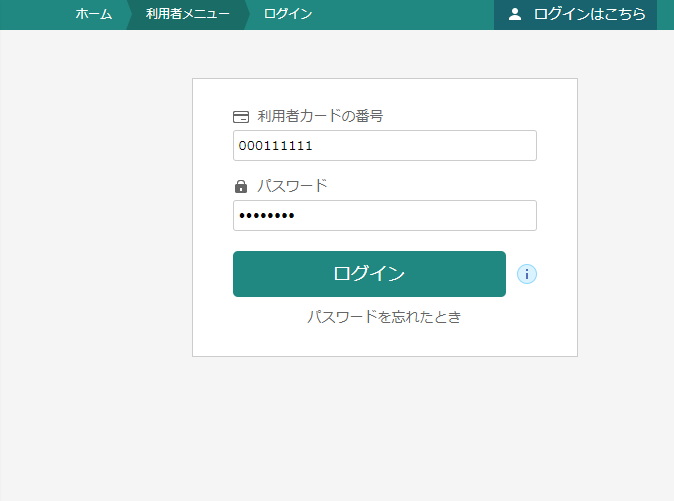
3) When you log in, the book list management screen will be displayed.
When using for the first time, it is necessary to set user information.
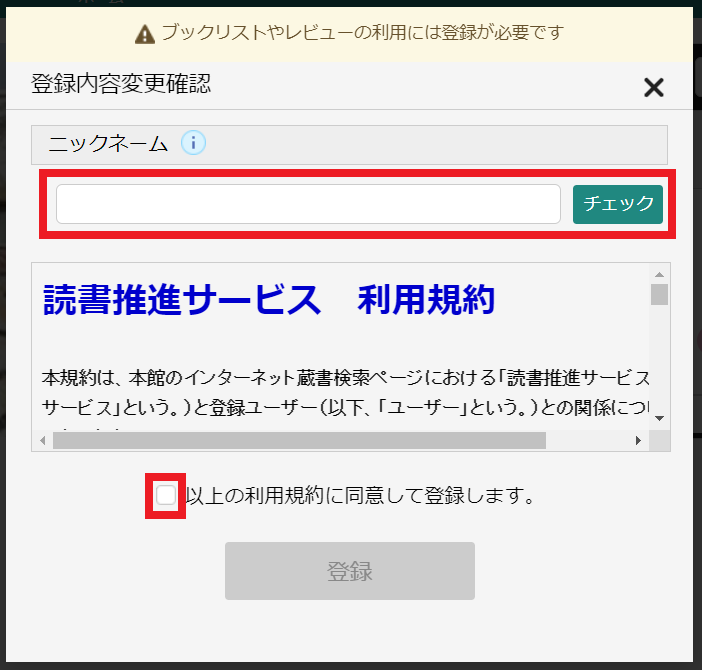
4) Register your "nickname" when using the book list, check the terms of use, check it, and press the "Register" button.
The nickname must be set to "unique and within 20 characters in the library to which you belong".
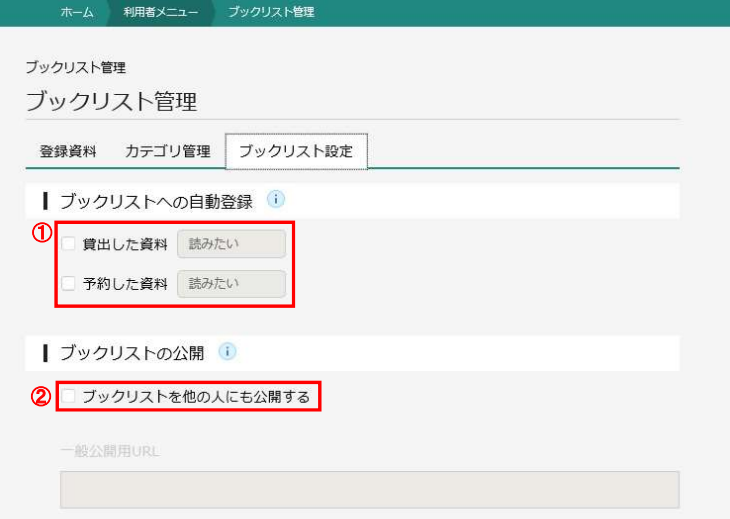
5) In the Book List Settings tab, you can set whether to automatically register borrowed or reserved materials. If you want to register automatically, please check it.
Booklists are registered and will not be published to others. If you want to publish it, check "Publish a book list to other people" and paste the displayed "URL for public disclosure" on your own blog etc.
Now that you can use my bookshelf, please add the bookshelf category yourself to manage your reading history and the books you want to read in the future.