
Internet reservation method
In order to make an online reservation, you need to register your email address in advance.
Click here to register and change your email address.
How to make a reservation
Make a reservation from the search screen on your home computer or mobile phone.
(1) Search by inserting a keyword in the "Easy Search" column on the library homepage, or press the "Collection Search / Reservation" button to search for the book you want to reserve.
(2) Open the list screen or details screen of the materials you want to reserve, and click "Add to the reservation basket".
<List screen>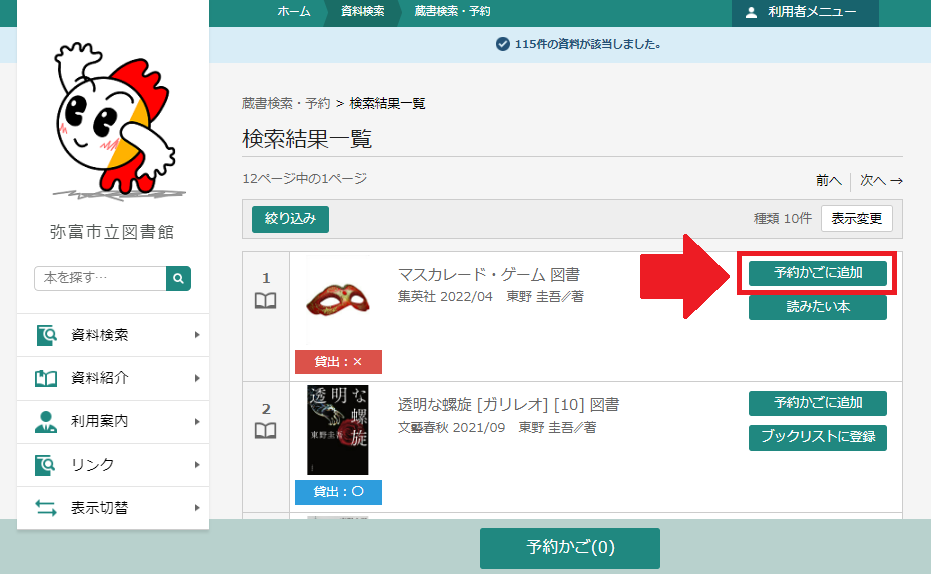
<Details screen>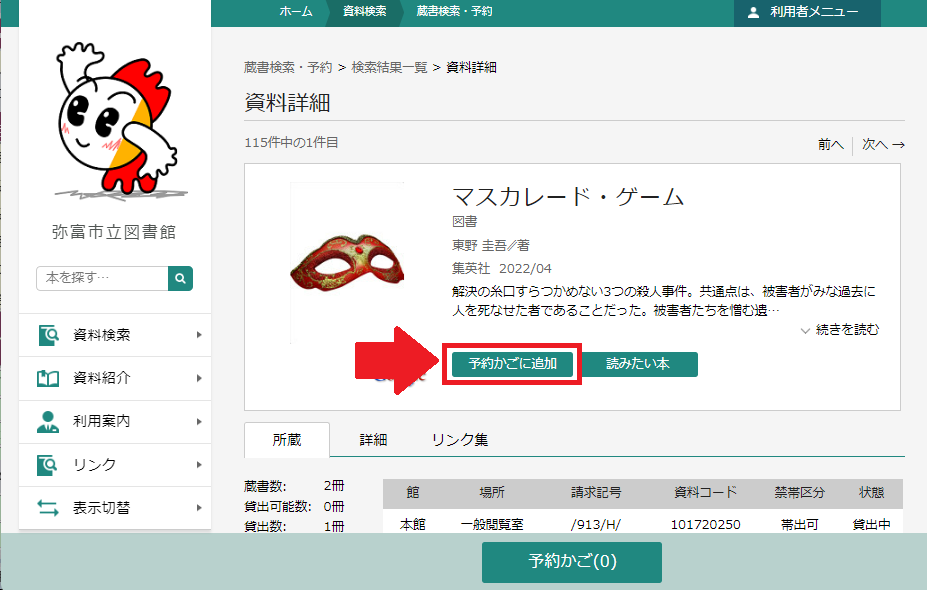
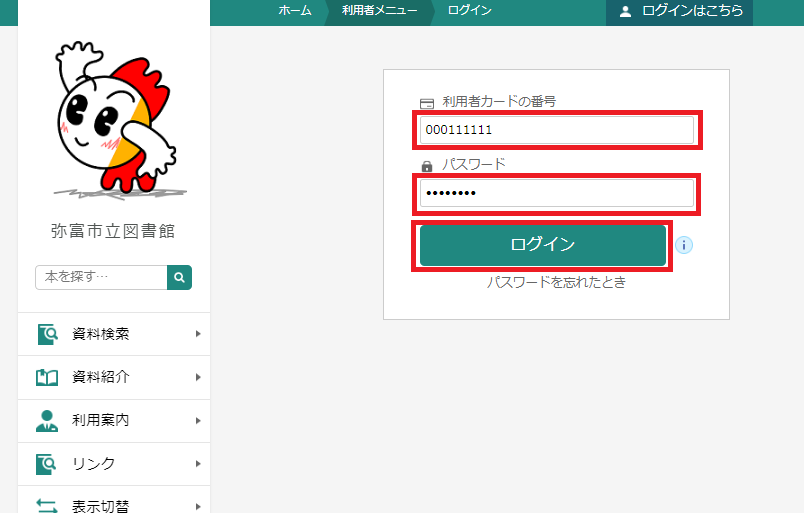
(3) Make sure that the number appears next to the "Reservation basket" at the bottom of the screen, and press the "Reservation basket" button. If you have not logged in, enter the "User Card Number (9 digits listed on the card)" and "Password", and click "Login". Materials will be added to the reservation basket. ※If you have any other materials you want to reserve, please repeat 1 to 3.
(4) You can select "Reserve" or "Do not make a reservation" by clicking the green color on the left side of the material name and checking or removing it.
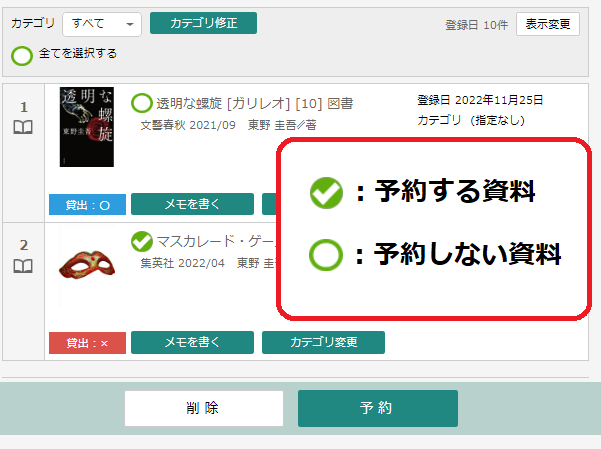
(5) To reserve materials, click "Reservation".
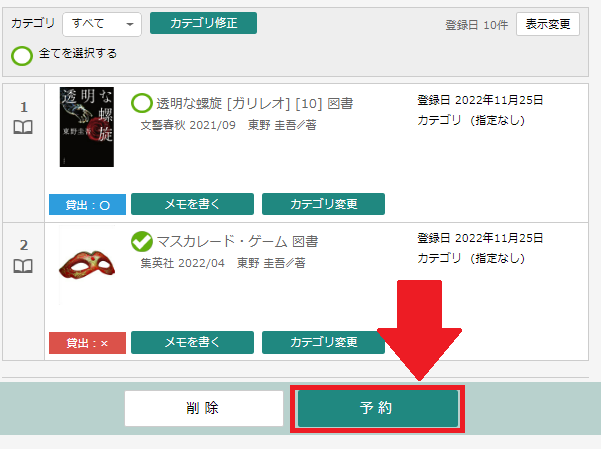
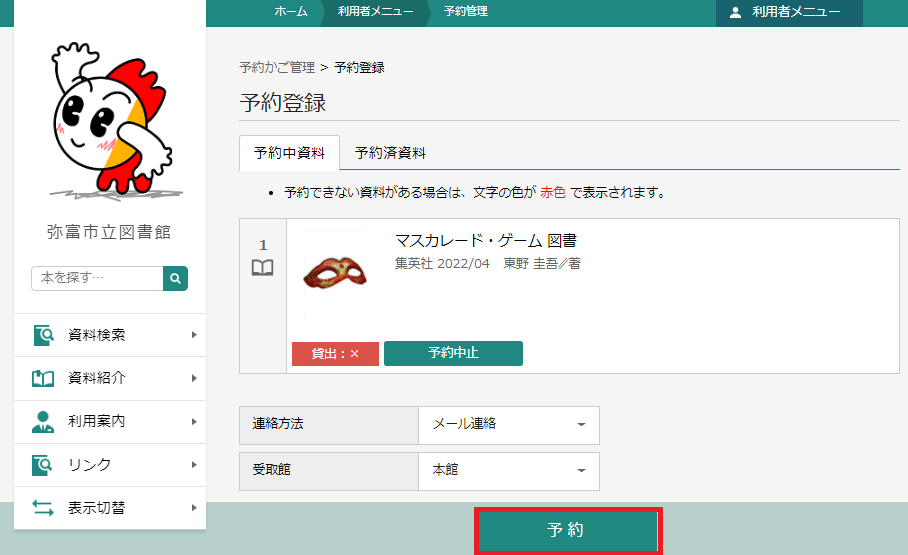
(6) Please click "Reservation".
Note: The only way to contact is by email.
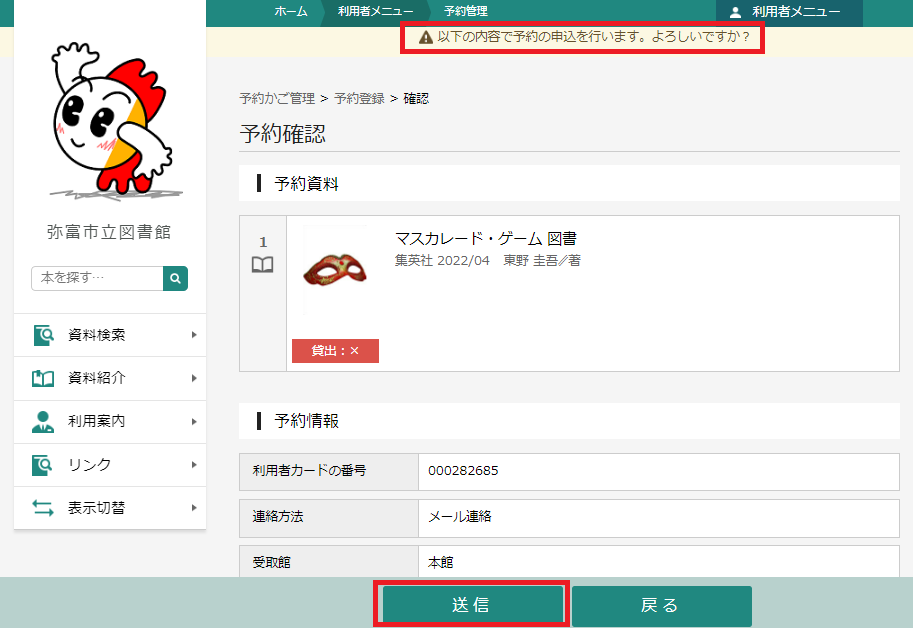
(7) A confirmation message will be displayed. Click "Send".
Note: The number of books that can be reserved for reservations is up to 7 points, including requests at the counter.
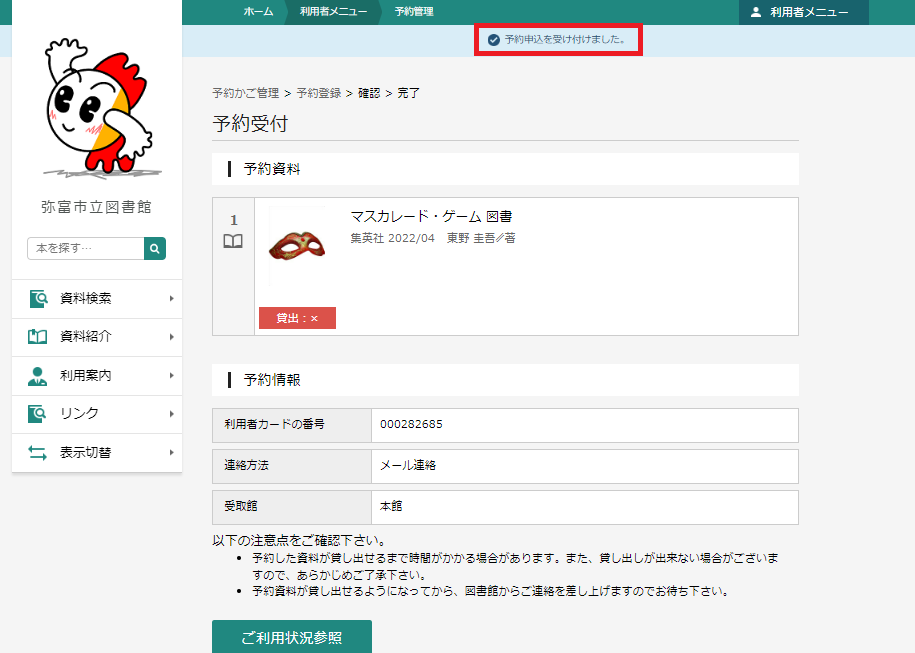
(8) When the confirmation message is displayed, the reservation is complete.
Note: The number of books that can be reserved for reservations is up to 7 points, including requests at the counter.
Method of receiving
We will contact you by e-mail when you are ready to borrow your reservation materials. Please be sure to receive it at the designated reception hall.
Note: The deadline for storing books is within one week from the date of contact of the email. Please note that it will be canceled after the deadline.
Reservation cancellation
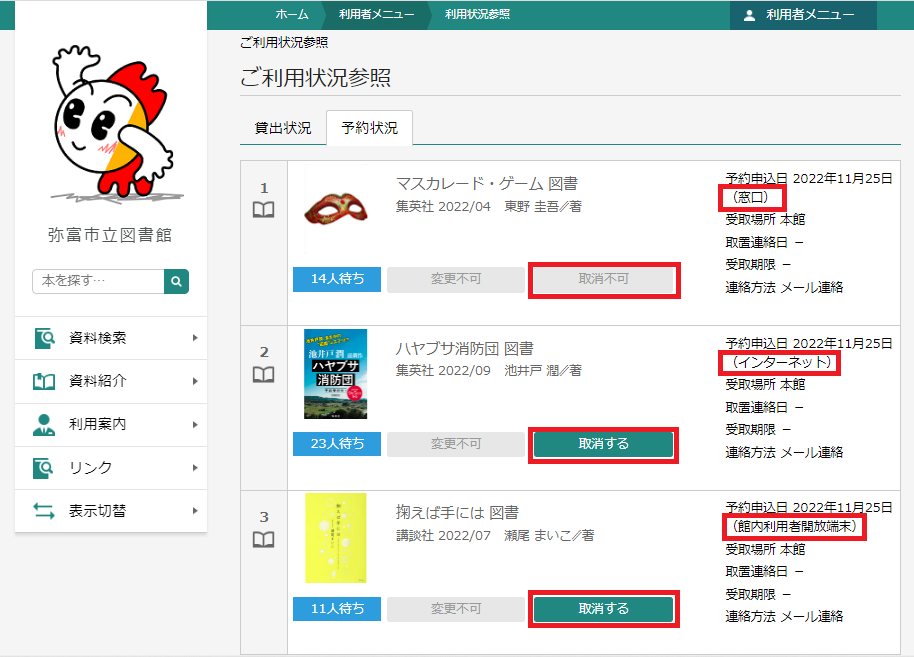
You can also cancel the materials you have reserved on the Internet. However, reservations accepted at the library window cannot be made.
Note: If you would like to cancel the reservation accepted at the library window, please contact the library (phone number: 0567-65-1117) or come directly to the counter.
Notes
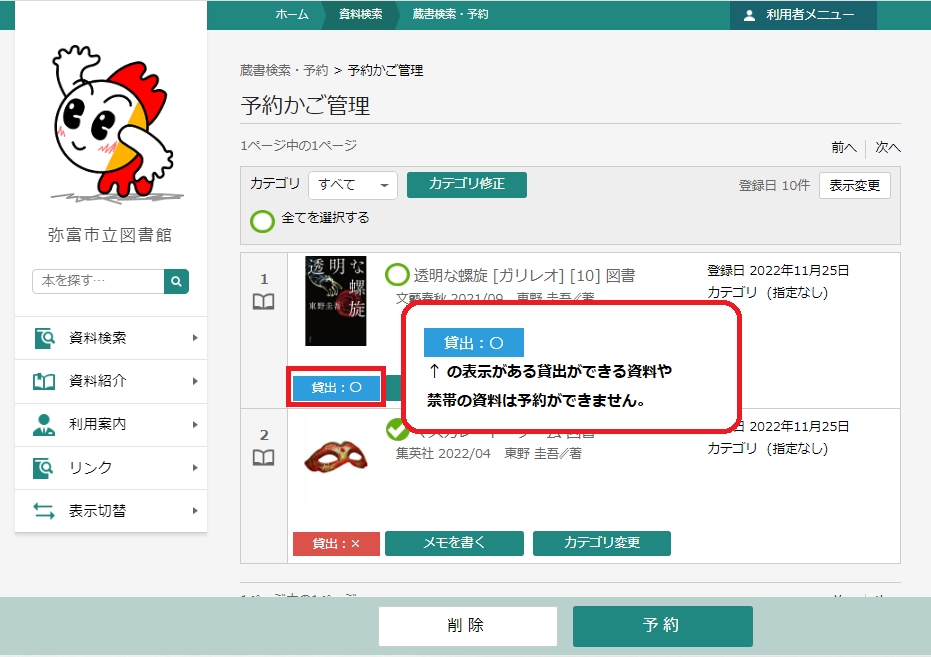
- Reservation applications via the Internet are limited to the materials that are being borrowed. Available materials can be included in the "Reservation basket", but when making the reservation process, it will be displayed as non-reservation.
- If you book the upper and lower volumes or series books together, we will notify you in order from the book you are ready to borrow, so it is not always possible to borrow them in order. If you want to borrow them in order, please book one by one. We recommend that you book the first volume after receiving the first volume of the second volume and then book the next volume.
- If you set the "Junk E-mail" prevention function, you may not be able to receive reservations from the library and you may not be able to receive it.
Please set up so that you can receive the following email address or domain.
E-mail address: yoyaku ◆yatomi-library.com (Please convert ◆ to @)
Domain: If you use a web email such as @yatomi-library.com or Hotmail, you may not receive a reservation email.
Please change your e-mail address or check the reservation status inquiry from the library homepage at any time. - Requests and applications for borrowing book materials from other local government libraries cannot be made on the Internet, so please consult at the counter.
- If you have already borrowed 10 books, you will not be able to borrow more than 10 books, even if you have booked.